EAS Inspection Pro OS™
Modular inspection operating system for structured workflow, evidence binding, and controlled inspection records.
Inspection Pro OS · SYS-INS-PRO
Family: Inspection & Integrity
Inspection activity that cannot be reconstructed as a controlled, reviewable record.
Support qualified inspection professionals documenting tank and related inspection work under a company or white-label license.
Maturity, exposure, release, commercial status, and production authorization are independent. Systems classification is not a UECS documentation level.
Parent inspection platform. Additional inspection capabilities may be added as entitled modules without changing the parent architecture.
Build / version: 1.2.0.
Public Demo is published in Systems Lab.
Offered pathways: Company License, Custom Agreement, Enterprise Deployment, Module License
Product governance is administered in Systems Admin. Enterprise rules remain at EAS Enterprise Governance & Authority. Confidential validation evidence and internal notes are not published here.
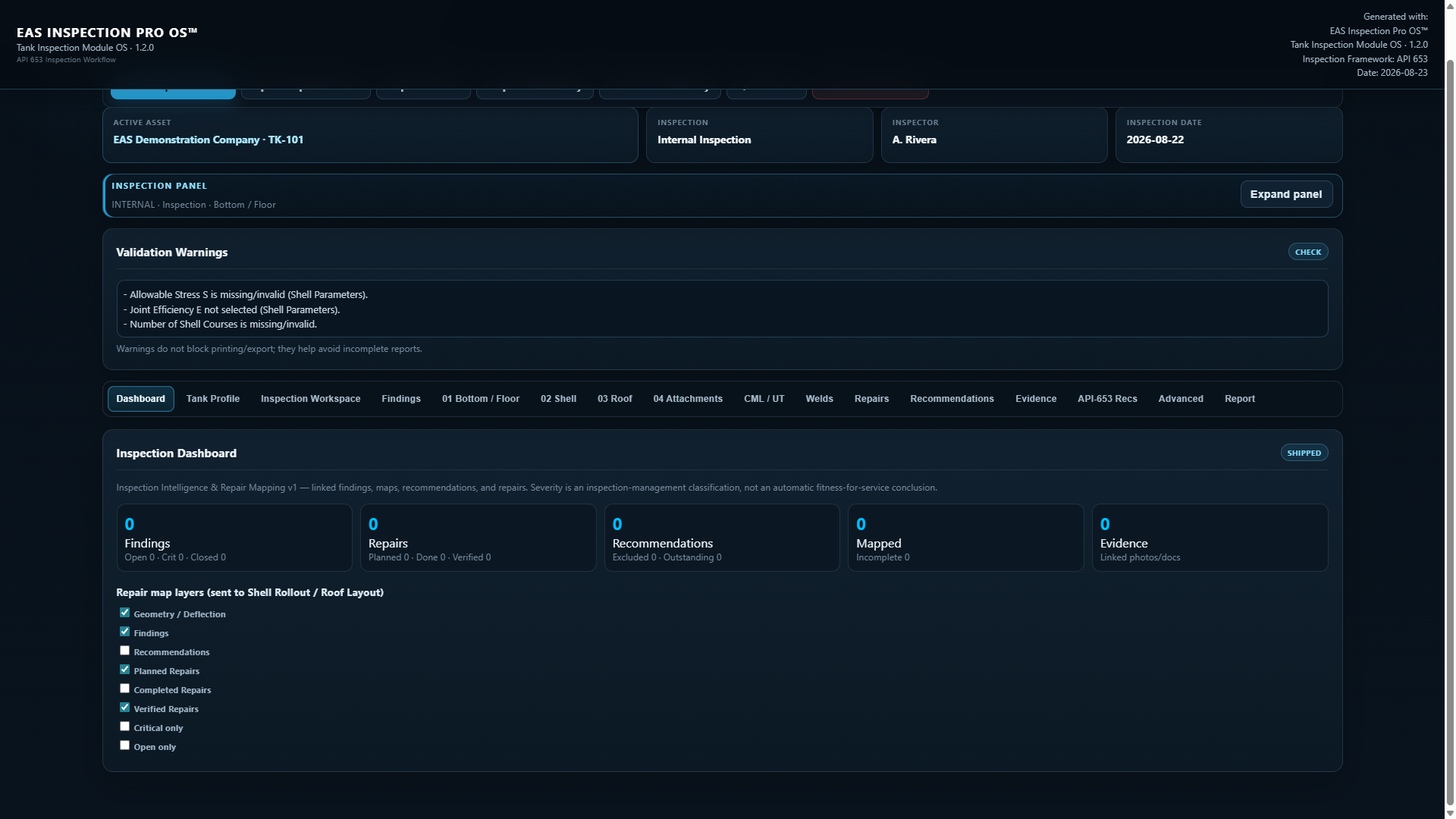
Operating dashboard — demonstration record
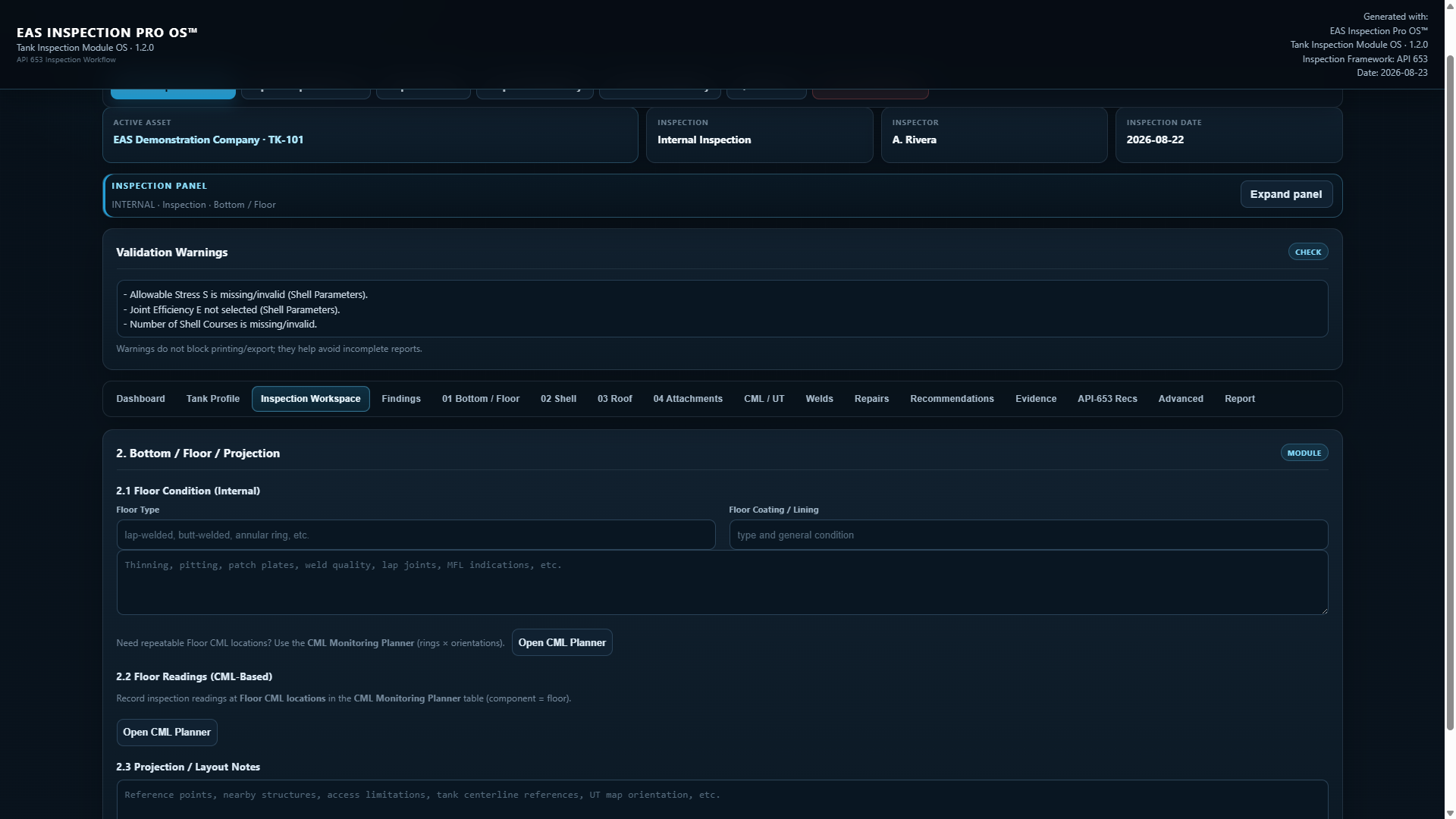
Inspection workspace
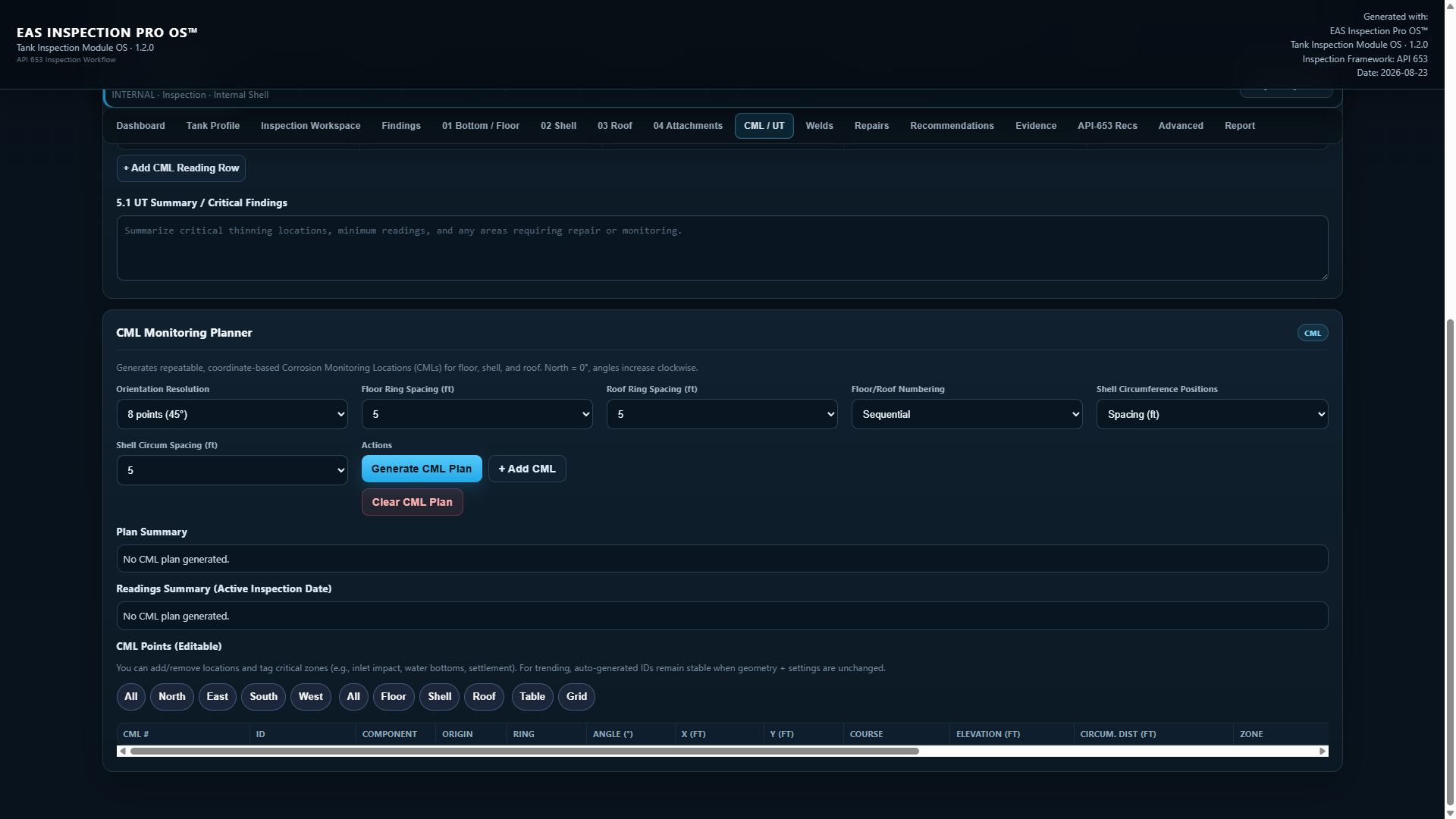
CML / UT planning
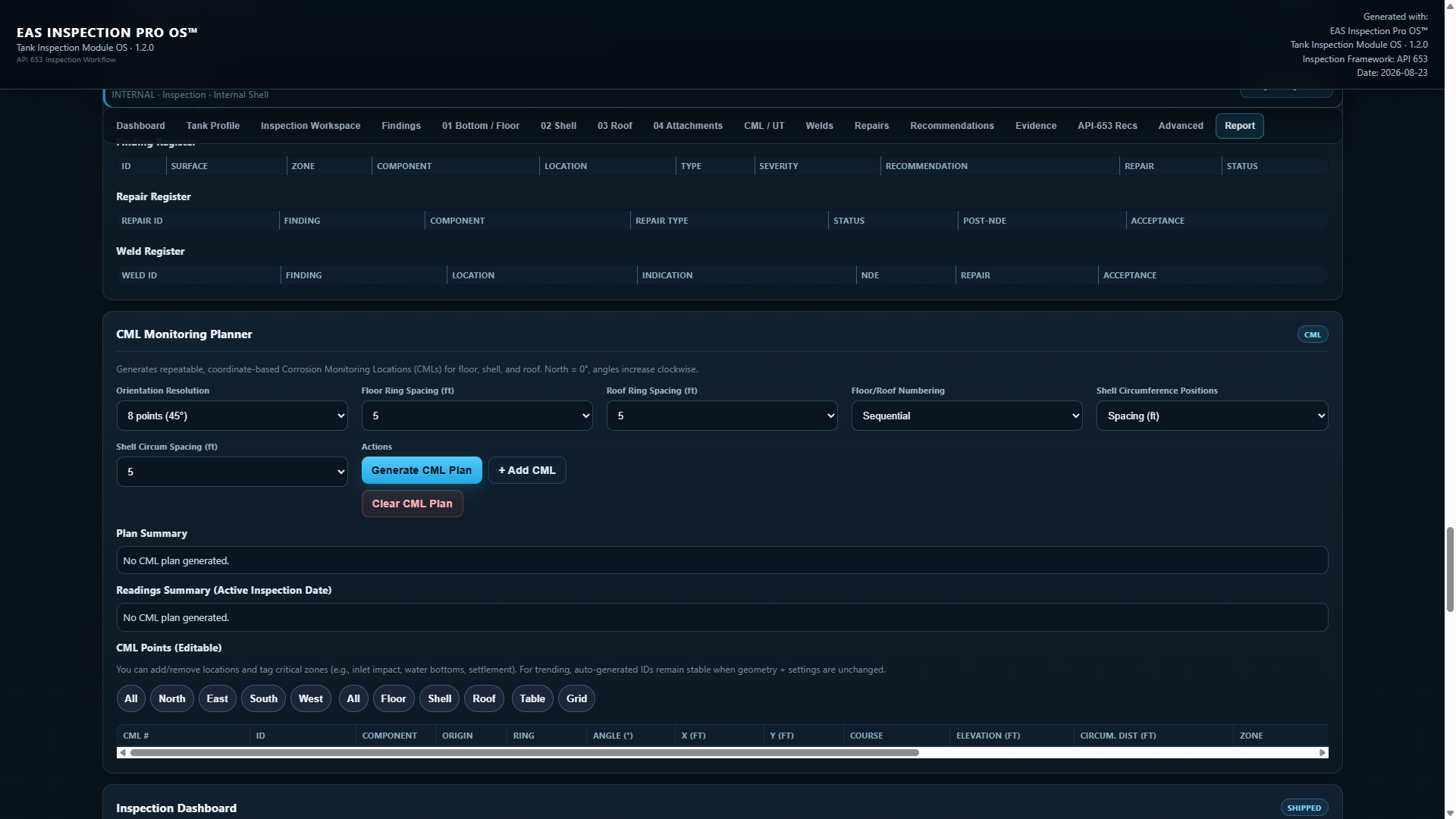
Registers and reporting
If this system matches an operational failure you own, start Systems Discovery.